Learn Kreeato, step by step
Practical, step-by-step guides written by the Kreeato team: remove backgrounds, design festival greetings, make wedding slideshows, use voice commands and work with layers like a professional.
 Tutorial · Design
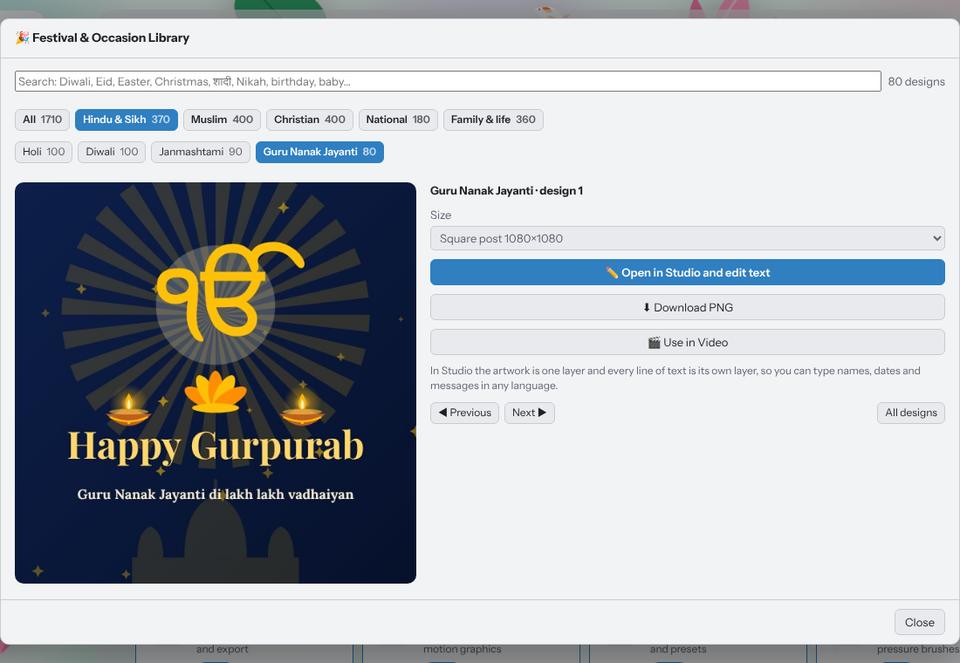
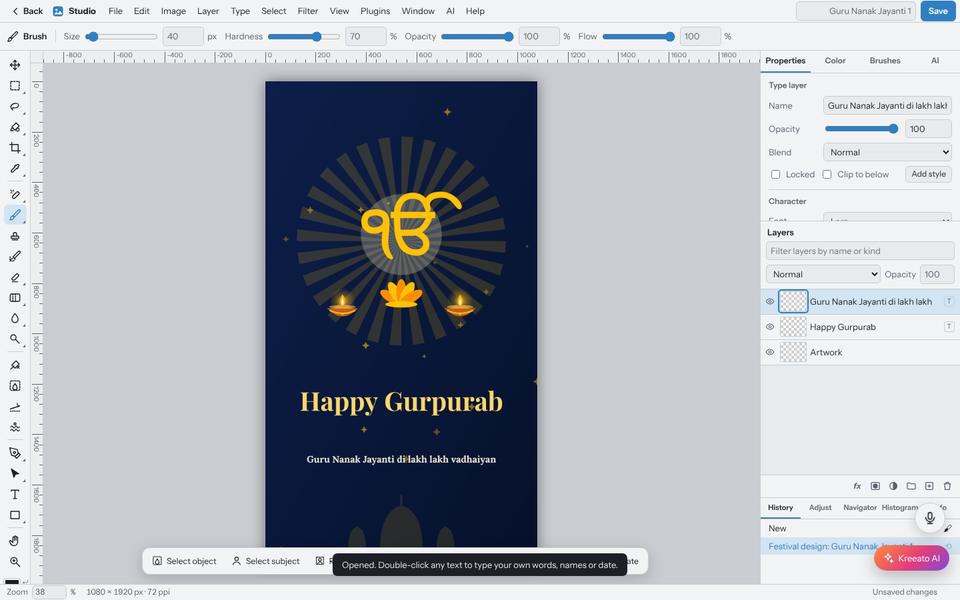
Make a festival greeting in two minutes with the Festival Library
Pick a ready design for Diwali, Eid, Christmas, Holi, Gurpurab or a birthday, type your own words in any language and download it for WhatsApp or Instagram.
 Tutorial · Photo
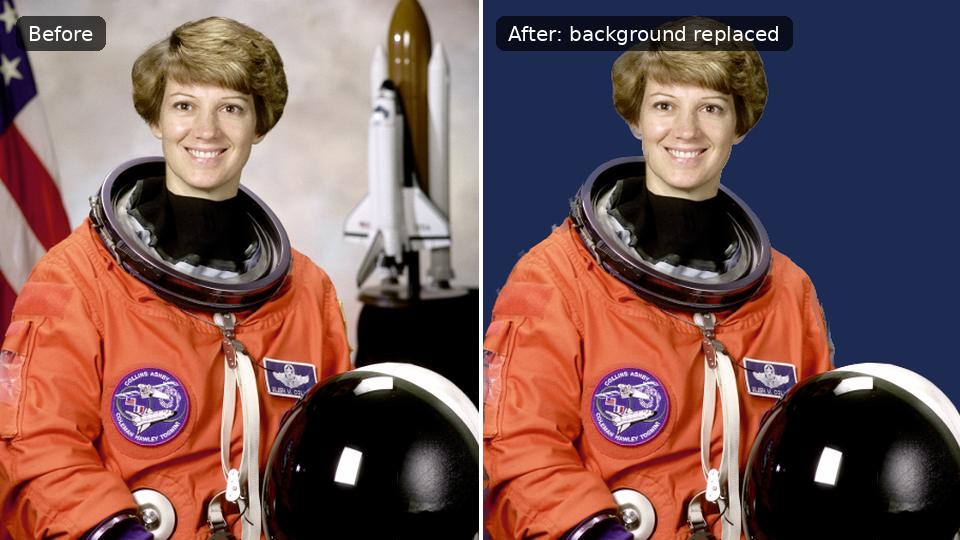
How to remove the background from a photo in Kreeato
Cut out a person or product in one click, keep only the object you selected, clean up the edges and export a transparent PNG.
All tutorials
 Tutorial · Video
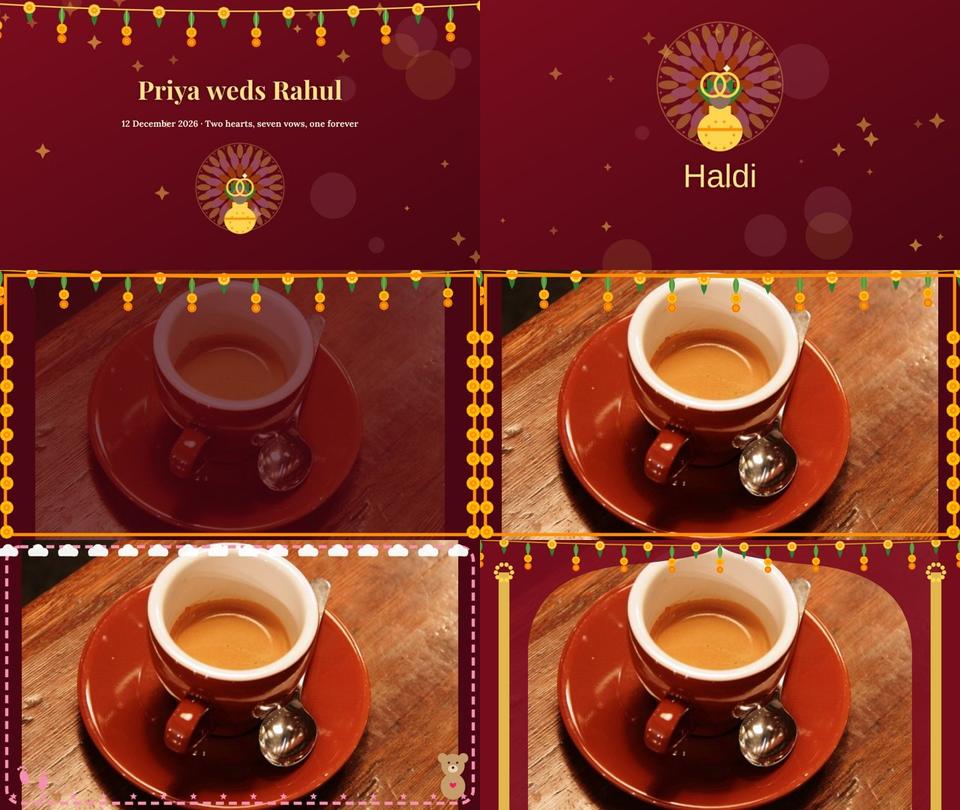
Create a wedding, Nikah or baby slideshow video from your photos
Use Smart Slideshow to turn photos into a video with names, chapter cards, slow zoom, transitions, a frame and music, then export it.
Tutorial · DesignMake a festival greeting in two minutes with the Festival Library
Pick a ready design for Diwali, Eid, Christmas, Holi, Gurpurab or a birthday, type your own words in any language and download it for WhatsApp or Instagram.
Tutorial · PhotoHow to remove the background from a photo in Kreeato
Cut out a person or product in one click, keep only the object you selected, clean up the edges and export a transparent PNG.
 Tutorial · Basics
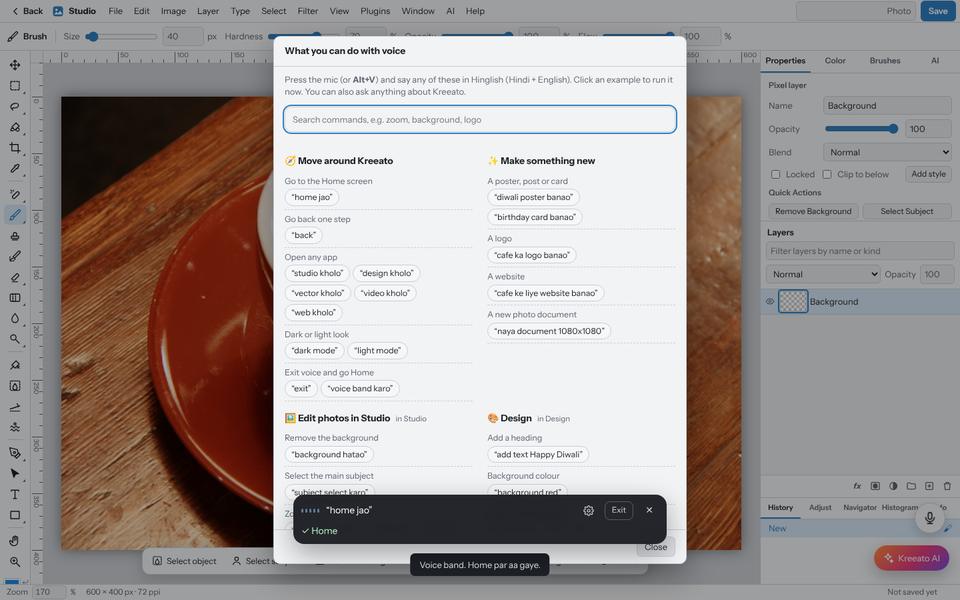
Use Kreeato with your voice: commands in English and Hinglish
Turn on the microphone, choose your language and control Kreeato by speaking: open apps, remove backgrounds, rotate, zoom, export and more.
 Tutorial · Basics
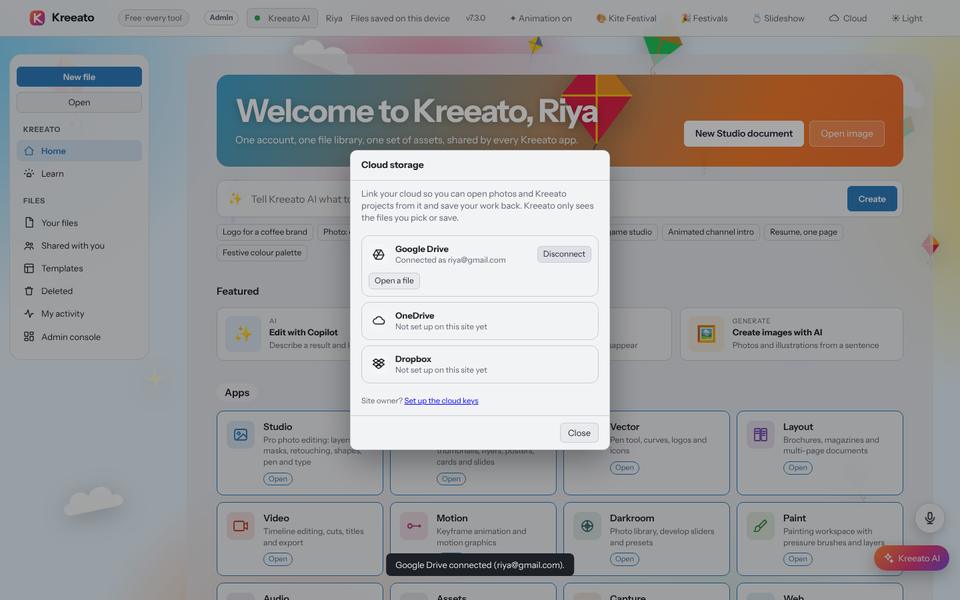
Open and save your designs with Google Drive, OneDrive or Dropbox
Link a cloud storage account so you can open photos from it and save your finished work back, without downloading files first.
 Tutorial · Photo
Layers and masks explained: edit without losing your original
Understand layers, layer masks, adjustment layers and clipping masks in Kreeato Studio, and learn the habits that make edits easy to change later.
Looking for something else?
Write to us at support@kreeato.in and tell us which tutorial would help you next.